728x90
반응형
1-1. 사전 준비
텍스트 입력 또는 복사/붙여넣기 등의 단축키 동작을 확인할 수 있는 프로그램 필요
- Windows: 메모장 (notepad)
- macOS: 텍스트 편집기 (TextEdit) 또는 메모 앱
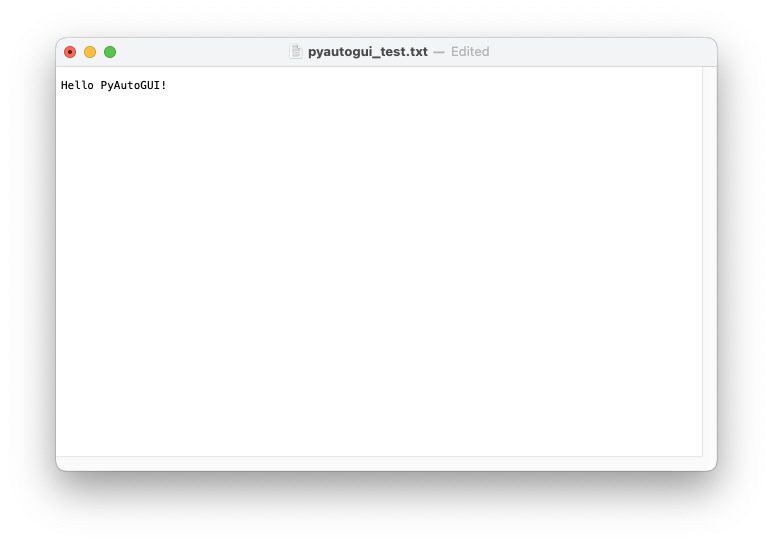
1-2. 코드
예제 코드의 py파일은 같은 디렉토리에 메모장으로 읽어들일 텍스트 정보를 가진 파일 pyautogui_text.txt 를 생성함.
import pyautogui
import subprocess
import platform
import time
from pathlib import Path

system = platform.system()

# 현재 디렉토리 기준으로 텍스트 파일 경로 설정
filepath = Path("pyautogui_test.txt").resolve()
filepath.touch(exist_ok=True)  # 파일이 없으면 생성

if system == "Windows":
    subprocess.Popen(["notepad.exe", str(filepath)])  # Notepad로 지정 파일 열기
    time.sleep(2)

elif system == "Darwin":
    subprocess.Popen(["open", "-a", "TextEdit", str(filepath)])  # TextEdit으로 열기
    time.sleep(2.5)

else:
    print("지원되지 않는 운영체제입니다.")
    exit()

# 입력 테스트
pyautogui.write("Hello PyAutoGUI!", interval=0.1)
time.sleep(0.5)

# 복수 키 입력 조합 테스트
if system == "Windows":
    pyautogui.hotkey('ctrl', 'a')
    pyautogui.hotkey('ctrl', 'c')
    pyautogui.press('enter')
    pyautogui.hotkey('ctrl', 'v')

elif system == "Darwin":
    pyautogui.hotkey('command', 'a')
    pyautogui.hotkey('command', 'c')
    pyautogui.press('return')
    pyautogui.hotkey('command', 'v')
728x90
'Python' 카테고리의 다른 글
| Pillow에서 Image 객체의 주요 attribute. (1) | 2025.07.15 |
|---|---|
| [Ex] PyAutoGUI - MessageBox (0) | 2025.07.15 |
| [Ex] PyAutoGUI - 화면 캡처 및 이미지 인식 (0) | 2025.07.15 |
| [Ex] PyAutoGUI - 키보드 입력 (2) | 2025.07.14 |
| [Ex] PyAutoGUI - 마우스 이동 및 클릭 (0) | 2025.07.14 |


