728x90
반응형
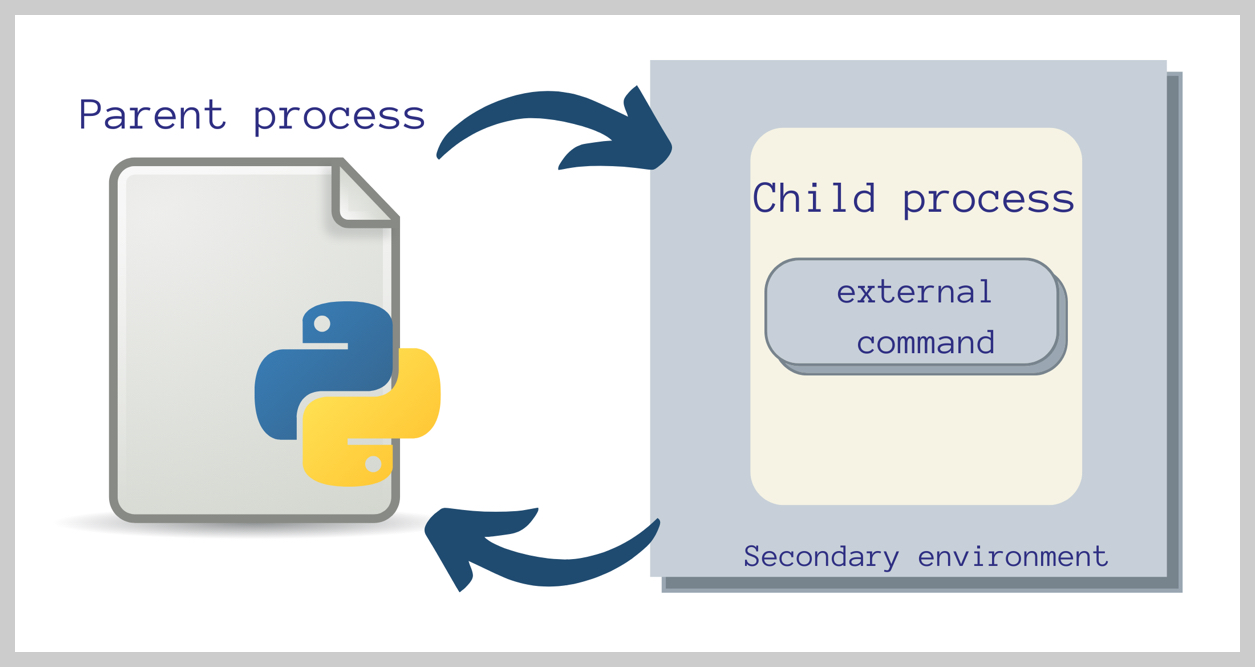
이 문서는 subprocess Module 의 HighLevel Methods의 사용법을 다룸:
subprocess.run(),subprocess.getoutput(),subprocess.check_output(),subprocess.Popen
Python 3.5 이상을 기준으로 작성됨.
1. subprocess 모듈이란?
subprocess 모듈은 Python에서
- 외부 명령어(예: 셸 명령, 다른 프로그램 실행)를 실행하고
- 그 입력/출력/에러를 관리하는 데 사용됨.
2. 사전 준비
- Python 버전: Python 3.5 이상 (
subprocess.run()은 3.5부터 도입). - 모듈:
subprocess는 표준 라이브러리에 포함되어 별도 설치 불필요. - 플랫폼: Windows, macOS, Linux에서 동작하는 예제 포함.
import subprocess3. High-level Function별 사용법 및 반환값
3-1 subprocess.run(): 동기식 실행 (blocking)
subprocess.run()은- 명령어를 실행하고 완료될 때까지 기다린 후 결과를 반환하는
- 동기식 메서드임.
- 가장 유연하고 현대적인 하이레벨 API.
3-1-1. 기본 사용법
result = subprocess.run(
               ['echo', 'Hello, World!'],
               capture_output=True,
               text=True,
         )

print(result.stdout)  # 출력: Hello, World!
3-1-2. 설명:
- 인자:
- 명령어와 인자를 리스트 형태로 전달 (예:
['echo', 'Hello, World!']).
- 명령어와 인자를 리스트 형태로 전달 (예:
capture_output=True:- 자식 프로세스의 표준 출력(
stdout)과 표준 에러(stderr)를 캡처하는 편의 옵션. - 이는 기존의 Popne에서 사용되던
stdout=subprocess.PIPE와stderr=subprocess.PIPE와 같은 동작이며run()에서만 지원:Popen에선stdout과stderr에subprocess.PIPE를 지정해주는 방법만 지원함.- 해당 처리를 해준 경우, 자식 프로세스 의 표준 출력을 반환되는 객체의
.stdout으로 확인하려면,stdout=subprocess.PIPE를 지정한다. - 만약 자식 프로세스의 표준에러를 표준출력으로 연결하고, 표준출력으로 합쳐서 부모프로세스에서 확인하면,
stdout=subprocess.PIPE와sdterr=subprocess.STDOUT을 해주면 됨.
- False 인 경우, stdin=None 과 stdout=None 과 같은 효과로,
자식 프로세스의 표준 출력과 표준 에러는 부모 프로세스의 표준 출력/표준 에러로 그대로 흘러감.- 즉, 부모 프로세스를 터미널에서 실행했다면 자식 프로세스가 출력한 내용이 터미널에 바로 보이게 됨.
- 반환되는 CompletedProcess 객체의 attribute인 stdout, stderr 가 None 이 됨.
- 자식 프로세스의 표준 출력(
text=True:- 출력을 문자열(
str)로 반환 - Python 3.7+ 에서 지원
- 이전 버전에서는
universal_newlines=True로 같은 효과 가능. - False가 기본값
- 출력을 문자열(
shell=True:- shell 에서 명령어가 직접 실행됨.
- 인자를 포함한 하나의 문자열로 처리 가능해짐.
- Shell Injection 등의 보안 문제가 있으므로 사용에 주의해야 함.
- False가 기본값
check=True:- 명령어가 실패하면
CalledProcessError예외 발생. - False면 그냥 반환되고 끝나며, 반환된 CompletedProcess 객체의 속성 returncode로 확인해서 에러여부를 파악해야 함.
- False가 기본값.
- 명령어가 실패하면
timeout:- 실행 시간 제한
- second 단위 (예:
timeout=5) 로 설정 (기본값은 None임) - timeout 발생시 subprocess.TimeoutExpired 가 발생함.
3-1-3. 반환값 타입
- 반환 객체:
subprocess.CompletedProcess
- 속성:
returncode: 실행 결과 코드 (int, 0은 성공, 그 외는 실패).stdout: 표준 출력 (striftext=True, elsebytesorNone).stderr: 표준 에러 (striftext=True, elsebytesorNone).
3-1-4. 예제: 디렉토리 목록 출력
result = subprocess.run(
            ['dir'],
            capture_output=True,
            text=True,
            shell=True,
        )

print(result.stdout)  # 출력: 디렉토리 목록 (문자열)
print(type(result))
print(type(result.stdout))- Windows에서는
dir, - Linux/macOS에서는
ls사용.
3-1-5. 예제: 에러 처리
try:
    result = subprocess.run(
        ['ls', 'non_existent_dir'],
        capture_output=True,
        text=True,
        check=True,
    )
except subprocess.CalledProcessError as e:
    print(f"에러: {e.stderr}")  # stderr는 문자열
    print(type(e.stderr))
3-1-6. 예제: 입력 전달
result = subprocess.run(
        ['grep', 'test'],
        input='test line\nother line',
        capture_output=True,
        text=True,
    )

print(result.stdout)        # 출력: test line (문자열)
print(type(result.stdout))  #
3-2. subprocess.getoutput(): 무조건 str 반환
subprocess.getoutput()은
- 명령어를 shell 에서 실행 하고 (
run()에서shell=True로 설정한 것과 같음) - 표준 출력(
stdout)과 표준 에러(stderr)를 무조건 문자열str로만 반환.
3-2-1. 기본 사용법
output = subprocess.getoutput('echo Hello, World!')
print(output)  # 출력: Hello, World!
print(type(output))  #
3-2-2. 설명:
- shell 실행: 내부적으로
shell=True로 실행. - 제한:
stderr는 캡처되지 않으며,- 실패 시 예외를 발생시키지 않음.
- 보안 주의:
- 사용자 입력을 직접 전달하면 shell injection 으로 인한 보안 위험성 존재.
3-2-3. 반환값 타입:
- 반환:
str(표준 출력stdout과stderr는 포함 안 됨).
3-2-4. 예제: 시스템 정보 확인
output = subprocess.getoutput('uname -a')
print(output)  # 출력: 시스템 정보 (문자열)
print(type(output))  #
3-3. subprocess.check_output(): 출력 문자열 반환
subprocess.check_output()은
stdout으로 출력된 표준출력만str객체로 반환** 하며,stderr로 출력된 내용은 부모 프로세스의stderr로 전달 (터미널 출력).- 명령어 실패 시 예외를 발생시킴 (check).
3-3-1. 기본 사용법
output = subprocess.check_output(
            ['echo', 'Hello, World!'],
            text=True,
        )

print(output)  # 출력: Hello, World!
print(type(output))  # str
3-3-2. 설명:
text=True: 출력을 문자열str로 반환 (아니면bytes).- 예외: 명령어가 실패하면
CalledProcessError발생. - 제한:
stderr는 캡처되지 않음.- stderr는 터미널에 그대로 출력됨 (부모 프로세스의
stderr로 전달)
- stderr는 터미널에 그대로 출력됨 (부모 프로세스의
3-3-3. 반환값 타입:
- 반환:
str(iftext=True, elsebytes). - 예외:
CalledProcessError(실패 시stderr접근 가능).
3-3-4. 예제: check_output으로 CalledProcessError 확인
try:
    output = subprocess.check_output(
                ['ls', 'not_exist_file'],
                text=True,
            )
    print(output)
    print(type(output))  #
except subprocess.CalledProcessError as e:
    print(f"CalleProcessError : {e.returncode = } / {e.cmd = }")
    # stderr는 호출시킨 프로세스의 stderr stream으로 연결이 기본.
    # check_output 함수의 stderr파라메터로 할당해서 별도 처리 필요.
3-4. subprocess.Popen: 비동기 실행
subprocess.Popen은
- 명령어를 비동기적으로 실행하며,
- 실시간 출력 처리나 복잡한 프로세스 관리에 적합.
3-4-1. 기본 사용법
process = subprocess.Popen(
            ['ping', 'google.com'],
            stdout=subprocess.PIPE,
            text=True,
            )

stdout, stderr = process.communicate()

print(stdout)        # 출력: ping 결과 (문자열)
print(type(stdout))  #
3-4-2. 설명:
subprocess.PIPE:- 표준출력스트림/표준입력스트림 을 pipe로 연결.
communicate():- 프로세스 완료까지 대기하고
(stdout, stderr)튜플 반환.
- 비동기 로 동작됨:
- 실행 즉시 제어가 반환되며,
communicate()또는wait()로 완료 대기 가능.communicate()사용을 권장.wait()의 경우,subprocess.PIPE와 같이 사용한 경우 deadlock 위험성 존재.- 둘 다
timeout지원: seconds 단위로 소수점 입력가능, 타임아웃시subprocess.TimeoutExpired발생.
3-4-3. 반환값 타입
- 반환 객체:
subprocess.Popen
- 속성/메서드:
returncode: 실행 후 반환 코드 (int, 초기화 전None).communicate():(stdout, stderr)튜플 반환striftext=True, elsebytesorNone.
poll():- 프로세스 상태 확인,
- 실행 중이면
None반환. - 종료 시 반환 코드 (
int).
3-4-4. 예제: 실시간 출력 읽기
process = subprocess.Popen(
            ['ping', 'google.com'],
            stdout=subprocess.PIPE,
            text=True,
        )

while True:
    output = process.stdout.readline()

    if output == '' and process.poll() is not None:
        break

    if output:
        print(output.strip())  # 한 줄씩 문자열 출력

print(type(output))  #
3-4-5. 예제 : poll 사용법
import subprocess
import time

p = subprocess.Popen(["sleep", "2"])

while True:
    ret = p.poll()
    if ret is None:
        print("아직 실행 중...")
    else:
        print(f"종료됨. 반환 코드: {ret}")
        break
    time.sleep(0.5)
보다 자세한 것은 [[subprocess.Popen 사용하기]] 를 참조할 것.
4. 메서드 비교
| Method | Sync 여부 |
Return Type | Desc. |
subprocess.run() |
동기 | CompletedProcess (with stdout, stderr: str or bytes) |
유연, 현대적, stdout/stderr 캡처 가능 |
subprocess.getoutput() |
동기 | str |
stdout만 반환, 셸 실행, 간단 |
subprocess.check_output() |
동기 | str or bytes |
stdout만 반환, 실패 시 예외 발생 |
| subprocess.Popen | 비동기 | Popen 객체, 이후 communicate()로 (str, str)or(bytes, bytes) |
실시간 처리, 복잡한 관리 가능 |
5. 실제 활용 사례
5-1. 파일 목록 처리
result = subprocess.run(
            ['ls', '-l'],
            capture_output=True,
            text=True,
            )

files = result.stdout.splitlines()  # 문자열을 줄 단위로 분리

for file in files:
    print(f"파일: {file}")

print(type(result.stdout))  #
5-2. 외부 프로그램 실행
result = subprocess.run(
            ['python', '--version'],
            capture_output=True,
            text=True,
            )

print(result.stdout)  # 출력: Python 버전 (문자열)
print(type(result.stdout))
5-3. 파이프라인
ps = subprocess.Popen(
            ['ps', 'aux'],
            stdout=subprocess.PIPE,
            text=True,
            )

grep = subprocess.Popen(
            ['grep', 'python'],
            stdin=ps.stdout,
            stdout=subprocess.PIPE,
            text=True,
            )

output, _ = grep.communicate()

print(output)  # 출력: python 프로세스 정보 (문자열)
print(type(output))  # str
6. 주의사항
6-1. shell injection 주의:
shell=True 또는 getoutput() 사용 시 사용자 입력을 직접 전달하면 shell injection 위험성 존재함:
user_input = "malicious; rm -rf /"
subprocess.getoutput(f"echo {user_input}")
안전한 방법은 다음과 같음:
subprocess.run(
        ['echo', user_input],
        capture_output=True,
        text=True,
        )
6-2. 플랫폼 호환성:
import platform

cmd = ['dir'] if platform.system() == 'Windows' else ['ls']

result = subprocess.run(
            cmd,
            capture_output=True,
            text=True,
        )
print(result.stdout)  # 플랫폼에 따라 문자열 출력
6-3. str 권장:
text=True를 사용하지 않으면 bytes 반환:
result = subprocess.run(
            ['echo', 'test'],
            capture_output=True,
            )  # text=True 없음
print(type(result.stdout))  # bytes
6-4. 예외 처리:
CalledProcessError:check=True또는check_output()에서 실패 시 raise.TimeoutExpired: timeout 초과 시.
7. 기타
7-1. 비동기 작업:
asyncio.create_subprocess_exec로 async/await 지원.
import asyncio
async def run_cmd():
    proc = await asyncio.create_subprocess_exec(
                'ls',
                stdout=asyncio.subprocess.PIPE,
        )
    stdout, _ = await proc.communicate()
    print(stdout.decode())  # 문자열로 변환

asyncio.run(run_cmd())
7-2. Environment Variables Setting:
result = subprocess.run(
    ['printenv', 'MY_VAR'],
    env={'MY_VAR': 'value'},
    capture_output=True,
    text=True,
)
print(result.stdout)  # 출력: value (문자열)
8. 공식 문서:
https://docs.python.org/3/library/subprocess.html
subprocess — Subprocess management
Source code: Lib/subprocess.py The subprocess module allows you to spawn new processes, connect to their input/output/error pipes, and obtain their return codes. This module intends to replace seve...
docs.python.org
9. 결론
subprocess.run():- 동기식
- 유연하고 가장 현대적인 방법으로 권장됨 (동기식으로 동작하는 경우)
CompletedProcess객체 반환- Attribute인
stdout,stderr는strorbytes.
subprocess.getoutput():- 동기식
- 간단한
str출력, shell 실행.
subprocess.check_output():- 동기식
str출력,- 실패 시 예외.
subprocess.Popen:- 비동기식
- 비동기 처리 및 실시간 모니터링 등에 사용됨.
communicate(),wait()등으로 동기식 처리 가능.
728x90
'Python' 카테고리의 다른 글
| [PyTorch] Resize and Crop-torchvision.transforms.v2.functional (0) | 2025.06.10 |
|---|---|
| [Py] PyInstaller 사용하기-GUI App. (4) | 2025.06.08 |
| [Py] SymPy (Symbolic Python) - Symbolic Computation (1) | 2025.06.05 |
| [Ex] scope 이해. (0) | 2025.05.12 |
| [PySide] QtCore.QSettings 사용법 (0) | 2025.05.12 |


