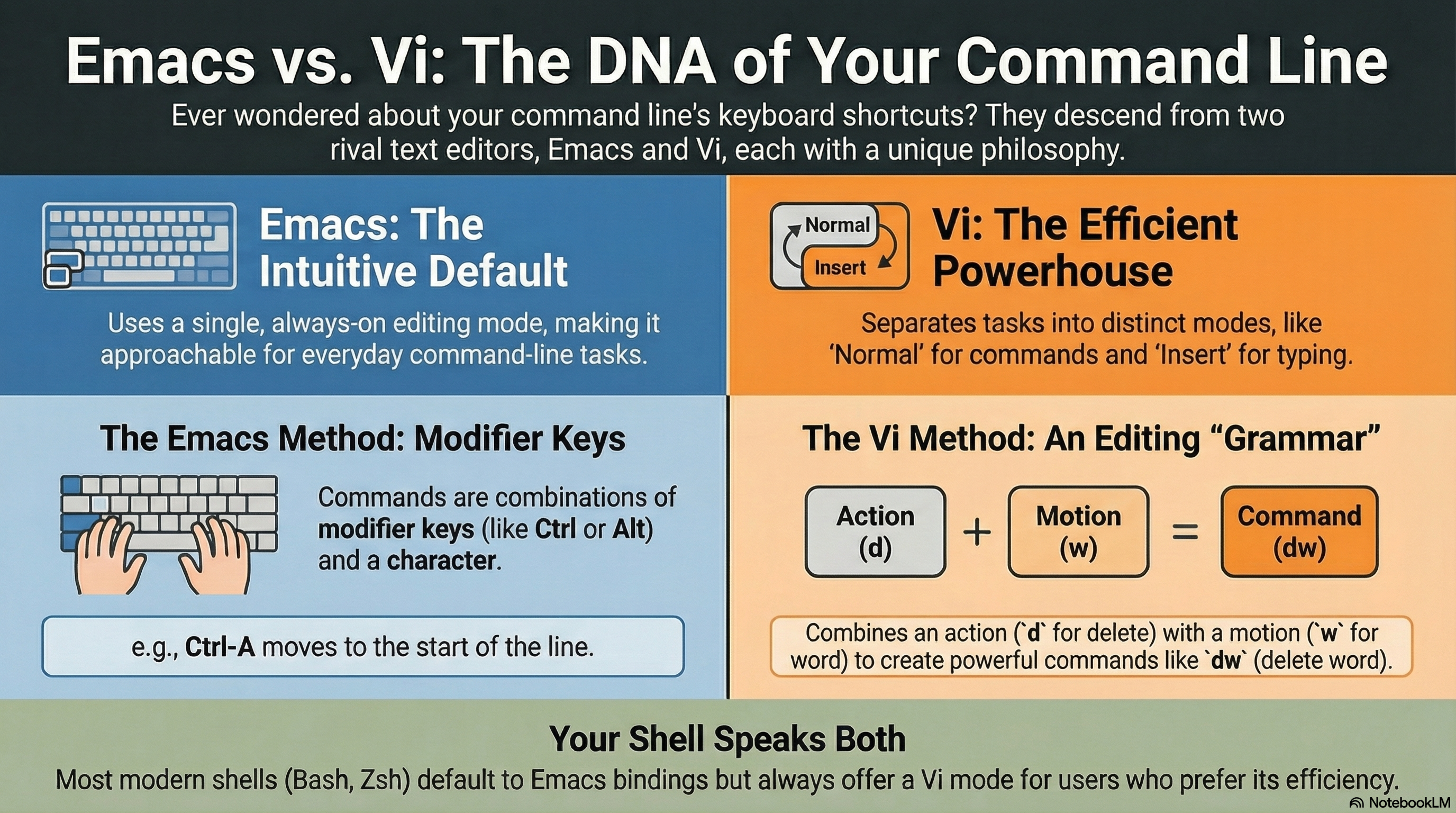
많이 사용되는 단축키 위주
| 기능 | Emacs 스타일 | vi 스타일 (Normal mode) | 설명 |
| 줄 맨 앞으로 | Ctrl-A |
0 |
beginning of line |
| 줄 맨 뒤로 | Ctrl-E |
$ |
end of line |
| 한 글자 앞으로 | Ctrl-F |
l |
forward |
| 한 글자 뒤로 | Ctrl-B |
h |
backward |
| 단어 앞으로 | Meta-F |
w |
word forward |
| 단어 뒤로 | Meta-B |
b |
word backward |
| 이전 히스토리 | Ctrl-P |
k |
previous |
| 다음 히스토리 | Ctrl-N |
j |
next |
| 커서 뒤 삭제 | Ctrl-D |
x |
delete char |
| 커서 뒤까지 삭제 | Ctrl-K |
d$ |
delete to end |
| 단어 삭제 | Meta-D |
dw |
delete word |
| 줄 전체 삭제 | Ctrl-U |
dd |
delete line |
| 붙여넣기 | Ctrl-Y |
p |
yank / put |
| Undo | Ctrl-_ |
u |
undo |
| 편집 상태 | 항상 편집 | i |
insert |
| 명령 상태 | 없음 | Esc |
normal |
같이 보면 좋은 자료들
2026.01.07 - [CE] - Shell (Python Shell 포함) 의 키보드 단축키에 대해
Shell (Python Shell 포함) 의 키보드 단축키에 대해
bash, zsh, python의 interactive shell, ipython 에서 애용되는 키보드 단축키는 크게 2가지 중 하나임:Emacs 기반Vi 기반거의 대부분, 기본적으로 Emacs를 채택하고 있으나, 쉽게 Vi 방식으로 변경이 가능함.이
ds31x.tistory.com
https://dsaint31.tistory.com/473
[Linux] vi (or vim) 사용법 정리
vi (or vim) 사용법 정리 더보기관련자료.https://ds31x.tistory.com/174 [CE] Text file: Text 파일이란?"text file" 은사람과 컴퓨터가 읽을 수 있고 처리할 수 있도록 encoding 된 characters 로 이루어진electric text lines
dsaint31.tistory.com
2023.12.15 - [개발환경] - [CE] shortcuts (or hot-keys, 단축키) : Basic
[CE] shortcuts (or hot-keys, 단축키) : Basic
FunctionWindowsmacdesc한자키한자키option + enter 특수문자 (기호, 이모티콘)(여러자음키)+한자키 or (여러자음키)+ctrl+spacectrl + cmd + space윈도우에서 특수문자 입력 위한 자음별 정리copyctrl+ccmd + c pastectrl+vc
ds31x.tistory.com
2026.01.09 - [CE] - 특수키의 role과 notation - Special Key
특수키의 role과 notation - Special Key
특수 키의 역할과 표기법에 대한 이해는 터미널/편집기 환경에서 키 입력은 어떻게 해석되는지를 파악하는데 큰 도움이 됨.시작하기 앞서Ctrl(Control), Esc(Escape), Alt(Alternate), Meta(Meta), Option(Option)
ds31x.tistory.com
'개발환경' 카테고리의 다른 글
| Cloudflare WARP: Secure Internet Routing and Network Optimization (0) | 2026.03.12 |
|---|---|
| npm install 과 npm ci 의 차이 (0) | 2026.01.27 |
| 아웃바운드 터널을 이용한 SSH 접속: Colab과 cloudflared 사례 (0) | 2026.01.05 |
| Gemini CLI 설치 가이드 (Homebrew 이용) (0) | 2025.12.26 |
| Visual Studio vs. VS Code (3) | 2025.08.12 |


