ImageEnhance 모듈을 통해 Image Enhancement 기능을 지원.
참고로, torchvision.transforms 의
image adjustment와 알고리즘이 유사함
api document: https://pillow.readthedocs.io/en/stable/reference/ImageEnhance.html
관련 gist
https://gist.github.com/dsaint31x/2973d9478c5cd9bb188d66095539f02d
Image Enhancement란?
- 영상에서 원하는 정보를 사람이 더 쉽게 해석할 수 있도록,
- Brightness, Contrast, Spacial Characteristics 등을 개선해
- 주관적 화질을 향상 시키는 과정.
1. 사용방법
ImageEnhnace.XXX(img)로 대상 img에 대한 Enhance 객체를 생성.XXX.enhance(factor)를 호출하여 Image Enhancement 수행 결과인 새로운 Image 객체 반환.
factor는 1.0을 기준으로 하고, 1.0보다 크면 강화, 작으면 약화
2. 지원되는 Enhance 종류
ImageEnhance.Brightness: 밝기ImageEnhance.Contrast: 대비ImageEnhance.Color: 색의 채도(Saturation)ImageEnhance.Sharpness: 선명도
2-1. 밝기 (Brightness)
$$I_{\text{out}} = I_{\text{in}} \times \text{factor}$$
factor=1.0: 원본 brightenssfactor<1.0: 어둡게factor>1.0: 밝게
enhancer_bright = ImageEnhance.Brightness(img)
img_bright = enhancer_bright.enhance(1.5)  # 1.5배 밝게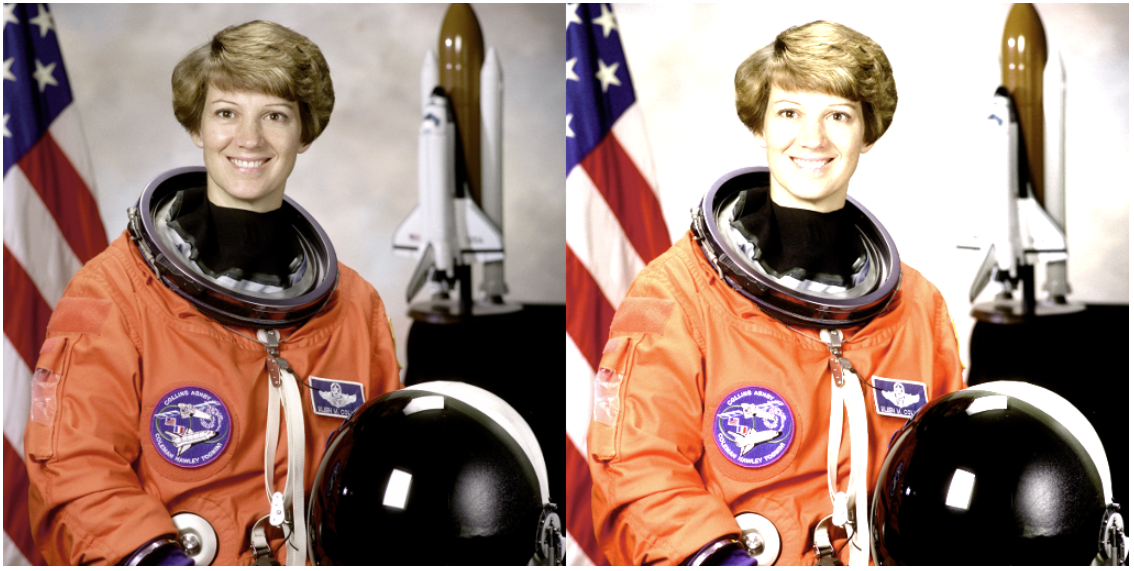
https://ds31x.tistory.com/451#12.-adjust_brightnessinpt,-brightness_factor
[PyTorch] Color-Torchvision.transforms.v2.functional
torchvision.transforms.v2.functional 모듈에서 제공하는이미지 데이터에서 color space 와 blurring, color effect, adustment 등의 처리들에 관련된는 함수들을 소개함. torchvision 의 다음 문서에서 color항목의 functional
ds31x.tistory.com
2-2. 대비 (Contrast)
$$I_{\text{out}} = (I_{\text{in}} - \mu) \times \text{factor} + \mu$$
- $\mu$는 대상
img의 평균 brightness factor=1.0: 원본 contrastfactor<1.0: contrast 낮추기factor>1.0: contrast 증가
enhancer_contrast = ImageEnhance.Contrast(img)
img_contrast = enhancer_contrast.enhance(0.8)  # 대비 줄이기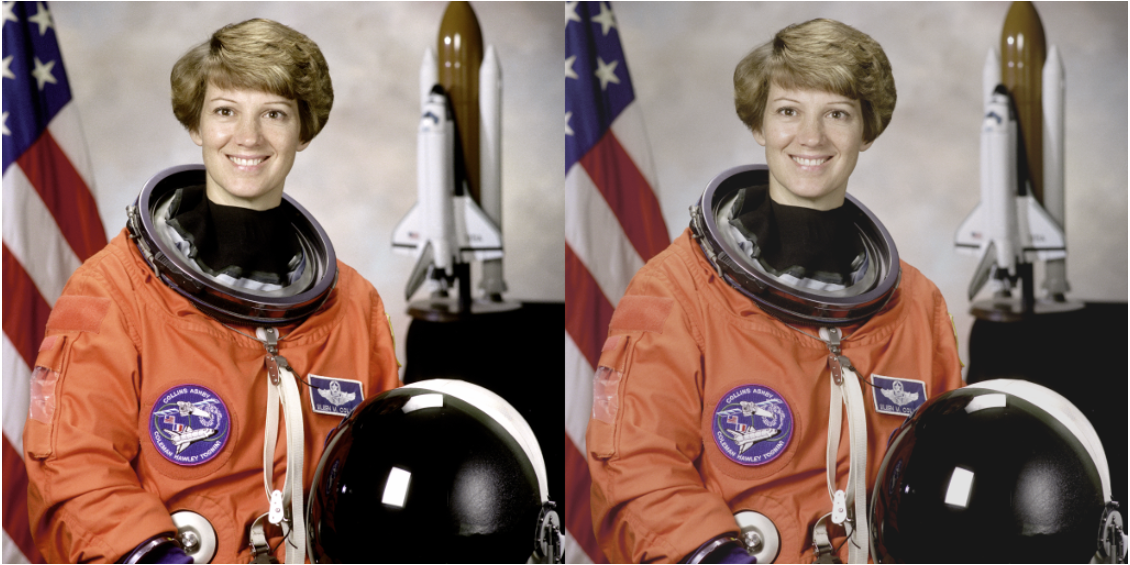
https://ds31x.tistory.com/451#11.-adjust_contrastinpt,-contrast_factor
[PyTorch] Color-Torchvision.transforms.v2.functional
torchvision.transforms.v2.functional 모듈에서 제공하는이미지 데이터에서 color space 와 blurring, color effect, adustment 등의 처리들에 관련된는 함수들을 소개함. torchvision 의 다음 문서에서 color항목의 functional
ds31x.tistory.com
2-3. Saturation
$$I_{\text{out}} = \mu_{\text{gray}} + (I_{\text{in}} - \mu_{\text{gray}}) \times \text{factor}$$
- $\mu_{\text{gray}}$는 픽셀의 그레이스케일 값 (ex:
0.299R + 0.587G + 0.114B) factor=0: 흑백으로 변환factor=1: 원본 색감factor>1: 채도 증가
enhancer_color = ImageEnhance.Color(img)
img_color = enhancer_color.enhance(2.0)  # saturation 두 배로 진하게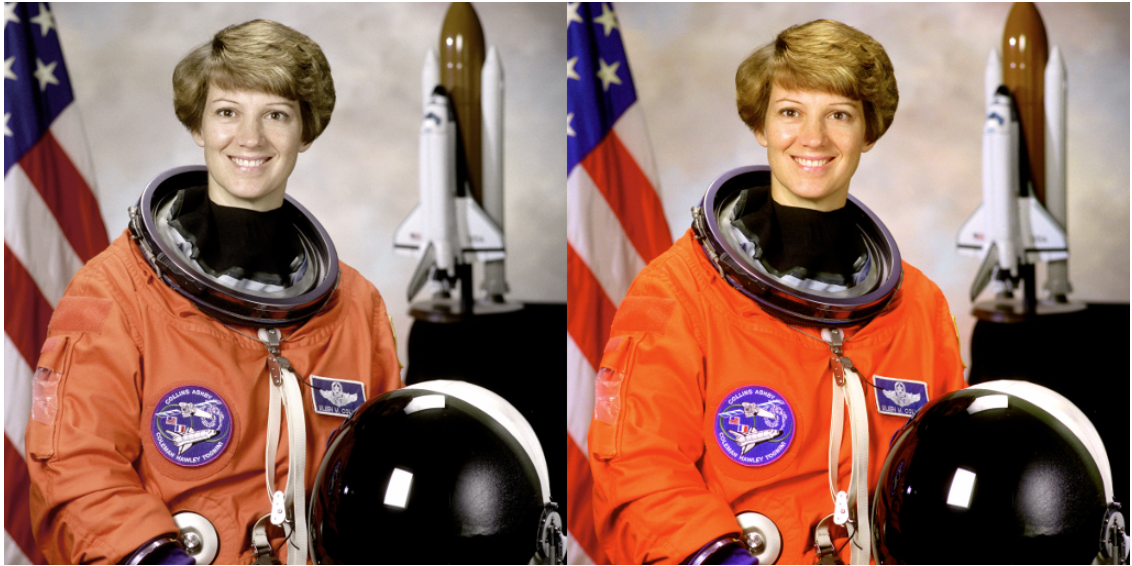
https://ds31x.tistory.com/451#13.-adjust_saturationinpt,-saturation_factor
[PyTorch] Color-Torchvision.transforms.v2.functional
torchvision.transforms.v2.functional 모듈에서 제공하는이미지 데이터에서 color space 와 blurring, color effect, adustment 등의 처리들에 관련된는 함수들을 소개함. torchvision 의 다음 문서에서 color항목의 functional
ds31x.tistory.com
2-4. Sharpness
$$I_{\text{out}} = I_{\text{in}} \times \text{factor} + I_{\text{blur}} \times (1 - \text{factor})$$
- $I_{\text{blur}}$ : blurred image
factor=0: blurringfactor=1: 원본factor>1: sharpening
enhancer_sharpness = ImageEnhance.Sharpness(img)
img_sharp = enhancer_sharpness.enhance(5.)  # sharpening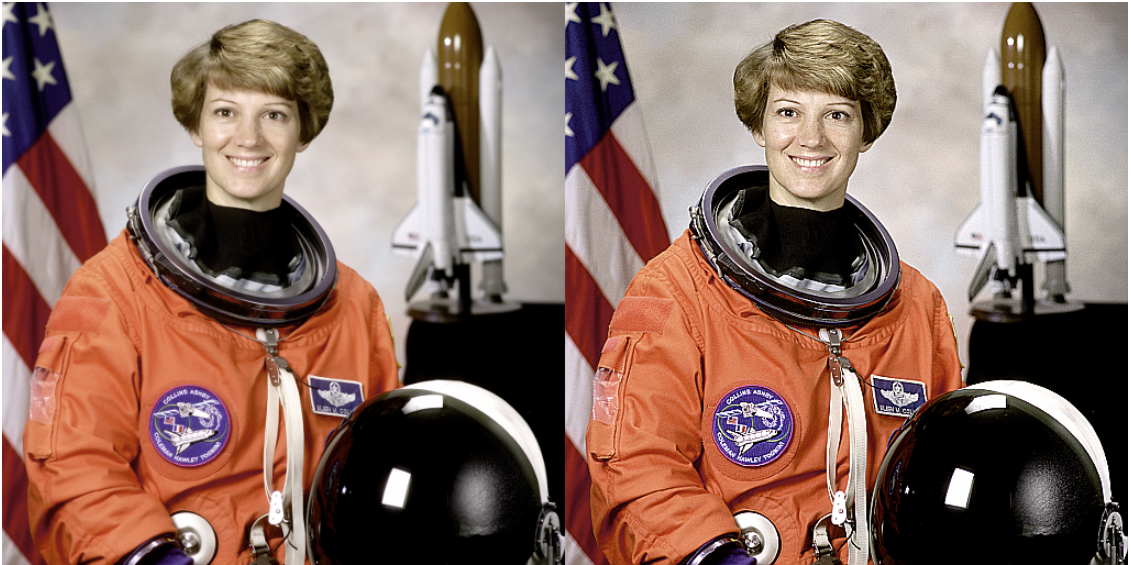
https://ds31x.tistory.com/451#10.-adjust_sharpnessinpt,-sharpness_factor
[PyTorch] Color-Torchvision.transforms.v2.functional
torchvision.transforms.v2.functional 모듈에서 제공하는이미지 데이터에서 color space 와 blurring, color effect, adustment 등의 처리들에 관련된는 함수들을 소개함. torchvision 의 다음 문서에서 color항목의 functional
ds31x.tistory.com
https://ds31x.tistory.com/453#randomadjustsharpness
[PyTorch] Photometric-torchvision.transforms.v2
Photometric Image Transformation은이미지의 측광학적 속성(photometric properties) 을 수정하는 과정을 가리킴.Photometric Image Transformation의 주요 특징1. 변경되는 속성들밝기(Brightness): 이미지 전체의 밝기 수준
ds31x.tistory.com
같이 보면 좋은 자료들
2025.06.30 - [Python] - Pillow 사용법 - Basic 01
Pillow 사용법 - Basic 01
Pillow 라이브러리의 기본적인 사용법을 다룬다. 2024.06.03 - [Python] - [Python] PIL, Pillow, OpenCV, and Scikit-image [Python] PIL, Pillow, OpenCV, and Scikit-imagePIL, Pillow, OpenCV, and Scikit-imagePython에서 이미지를 다룰 때
ds31x.tistory.com
2024.06.03 - [Python] - [Python] PIL, Pillow, OpenCV, and Scikit-image
[Python] PIL, Pillow, OpenCV, and Scikit-image
PIL, Pillow, OpenCV, and Scikit-imagePython에서 이미지를 다룰 때 이용되는 주요 패키지들은 다음과 같음.1.PIL (Python Imaging Library)PIL은 1995년에 처음 개발된 Python의 최초 이미지 처리 라이브러리 중 하나임.
ds31x.tistory.com
[PyTorch] Color-Torchvision.transforms.v2.functional
torchvision.transforms.v2.functional 모듈에서 제공하는이미지 데이터에서 color space 와 blurring, color effect, adustment 등의 처리들에 관련된는 함수들을 소개함. torchvision 의 다음 문서에서 color항목의 functional
ds31x.tistory.com
'Python' 카테고리의 다른 글
| Pillow 사용법 - Basic 04 - ImageFilter (2) | 2025.07.01 |
|---|---|
| Pillow 사용법 - Basic 02 - copy, ImageDraw (0) | 2025.07.01 |
| Pillow 사용법 - Basic 01 (2) | 2025.06.30 |
| [torchvision] torchvision.utils.save_image and torchvision.io.encode_jpeg, torchvision.io.encode_png (0) | 2025.06.17 |
| torchvision.datasets.ImageFolder 사용하기. (0) | 2025.06.17 |


