__name__ 은
Python에서 module에 할당되는 special attributes 중 하나로서,
해당 module의 이름에 해당하는 문자열로 설정되어 있다.
__name__은
Python이 알아서 생성해주는
special string attribute임.
하지만, module이 command line이나 IDE를 통해 직접적으로 main script로 실행되는 경우에는
해당 module의 __name__에는 "__main__" 이라는 문자열이 할당된다.
위와 같이 PVM(=Python)이
알아서 할당하고 사용하는 변수들은
double underscore __ 로
이름이 시작되고 끝나는 관계로
double underscores를 dunder라고도 부름.
Python VM이
설정하는 변수 또는 특별히 사용하는 메서드를 가리킴.
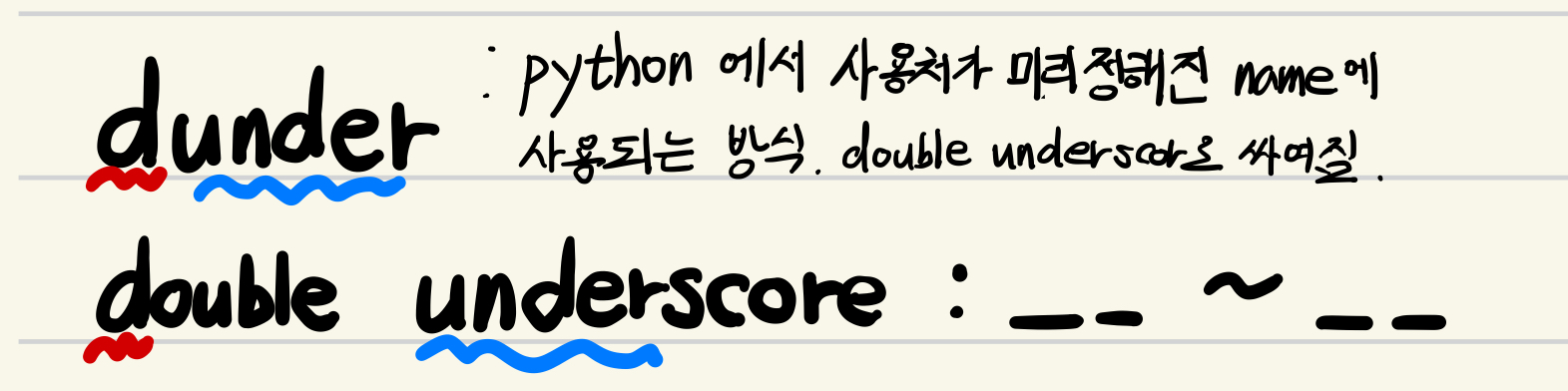
다시 강조하지만, 변수가 아닌 special method 도 dunder라고 불림:
2023.07.13 - [Python] - [Python] special methods and operator overloading
[Python] special methods and operator overloading
Special Methods사용자가 직접 호출하는 경우가 거의 없고, 간접적으로 호출이 됨.즉, 개발자(사용자)가 over-riding을 통해 구현은 하지만 직접 호출하는 경우가 거의 없고,개발자가 다른 built-in function
ds31x.tistory.com
__name__ 사용하기:
다음의 2가지 모드가 존재함.
- 직접 실행되는 경우 (as main script로) :
"__main__" - import 문을 통해 간접적으로 실행되는 경우 : 당초 설정된 module의 이름
(일반적으로 import 문에서 사용된 이름)
import math

print(math.__name__)
print(__name__)
다음 파일을 test.py등으로 저장하고, python test.py로 수행하면 다음과 같은 출력을 확인할 수 있음.
math
__main__
- 이 예제에서 보이듯이
__name__attribute를 통해, - 해당 module이 직접 main script로 실행되는지
- 아니면 import 되어 사용되는지를 구분할 수 있음.
때문에 다음과 같이 main script로 실행될 경우에만 동작하는 부분을 구현할 수 있음.
def my_main():
    """main script일 때 수행되는 함수"""
    print("main script!")

if __name__ == "__main__":
    my_main()
위의 코드는 entry point를 Python에서 구현하는 전형적인 패턴임:
https://ds31x.tistory.com/685#python-script%EC%97%90%EC%84%9C%EC%9D%98-entry-point
Entry Point - Python 과 C
Entry PointEntry point는 program의 실행 흐름이 처음으로 진입하는 지점을 의미함.entry는 enter에서 온 말로, 기본 의미는 들어감, 진입, 들어가는 곳임.entry point는 말 그대로 들어가는 지점, 즉 진입점을
ds31x.tistory.com
Special Attributes (Dunder)
참고로, Python이 자동으로 할당해주는 special attributes (=dunder)로는__doc__ , __module__ , __annotations__ 등이 있음.
다음은 docsting __doc__ 에 대한 내용임:
https://dsaint31.tistory.com/509
[Python] Comments and Docstrings
Comment (주석)Python에서의 comment는 주석이라고 불리며, Python Interpreter가 아닌 사람을 위해 작성되는 것임. Comment는 해당 code들이 무엇을 위해 존재하는지 등을 기재하여 개발자가 보다 쉽게 코드를
dsaint31.tistory.com
같이 보면 좋은 자료들
https://blog.naver.com/dsaint31/224101148244
Python 기본 개념 (작성중)
0단계: 기초 개념 computer란? programming language란? Low-level language vs. High-level language C...
blog.naver.com
'Python' 카테고리의 다른 글
| [Python] File Handling (2) | 2023.12.05 |
|---|---|
| [Python] Programming Language and Introduction of Python. (1) | 2023.10.23 |
| [Python] input 함수 사용하여 사용자 입력받기. (0) | 2023.10.10 |
| [Python] Example: input, sys.argv and argparse (1) | 2023.10.10 |
| [Python] tuple (0) | 2023.10.06 |


